v1.5.0 · free · Android 8+ · no internet permission
No data✶No Wi‑Fi✶UPI 123Pay✶Every Indian SIM✶PIN stays with your bank✶Works on every phone✶No data✶No Wi‑Fi✶UPI 123Pay✶Every Indian SIM✶PIN stays with your bank✶Works on every phone✶
Why Daak
The internet drops. Payments shouldn't.
Most UPI apps stop working the second your data drops. India already has a way to pay without
internet, it's just hidden behind menus nobody remembers. Daak puts a proper app on top of it.
Two bars of 2G, no 4G in sight. The chai stall's QR still works.
The village2G is enough
A crowded mela where ten thousand phones jam the tower's data.
The melacalls still connect
Basement shop, metal shutter, zero bars of internet. One bar of signal.
The basementone bar is plenty
How it works
One phone call. Every SIM.
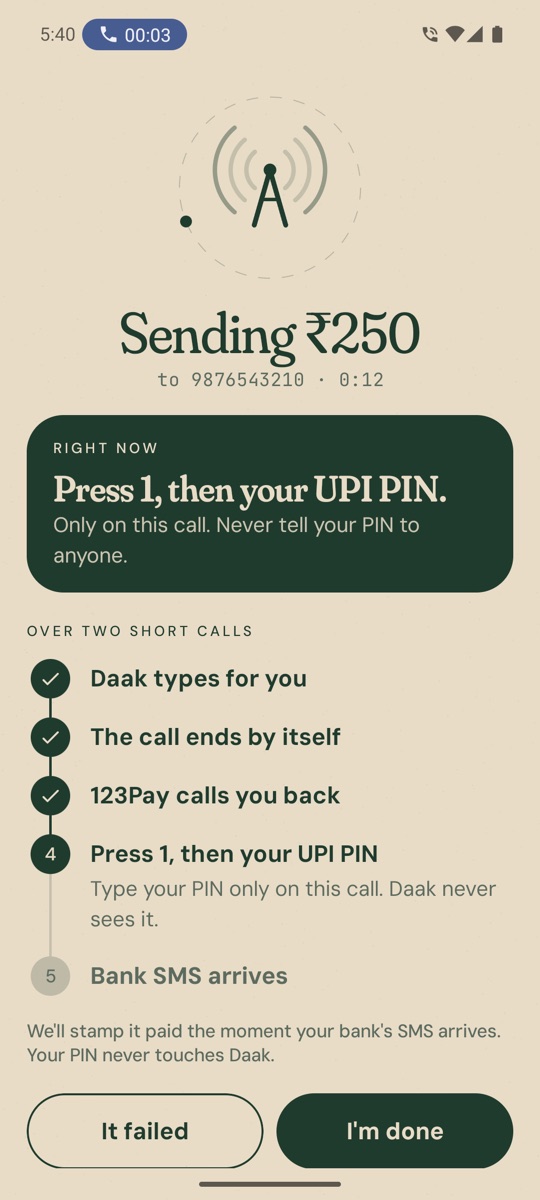
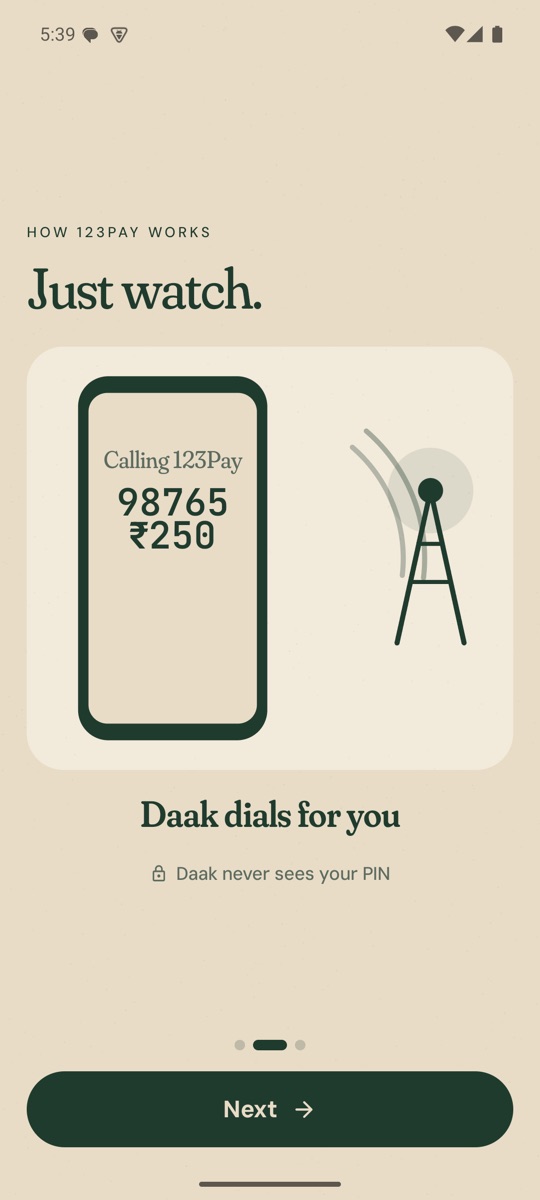
Daak calls UPI 123Pay and types the number and amount for you. 123Pay calls you back, you press 1 and enter your UPI PIN. It's an ordinary phone call, so it works on Jio, Airtel, Vi and BSNL, on any phone. Why not *99#?
Safety
Built so it can't touch your money.
No internet access at all
Daak doesn't even ask Android for internet access. It has no way to send your data anywhere.
Your PIN stays yours
You type your UPI PIN on the 123Pay call. Never inside Daak.
Your SMS stays on your phone
Daak reads your bank's debit message to mark a payment as paid. It keeps only the amount and the reference number.
No screen reading
Daak can't see your screen or tap anything for you. It only opens the dialer and notices when a call starts or ends.
Inside the app
A look inside.
Home
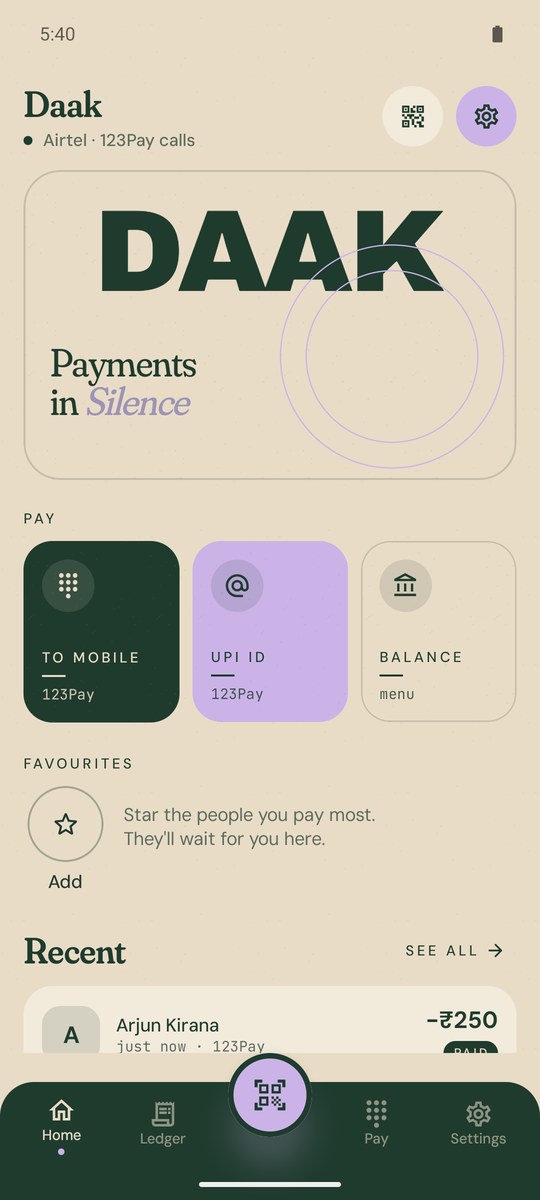
Pay a number, a UPI ID or a QR, and see your recent payments.
Pay
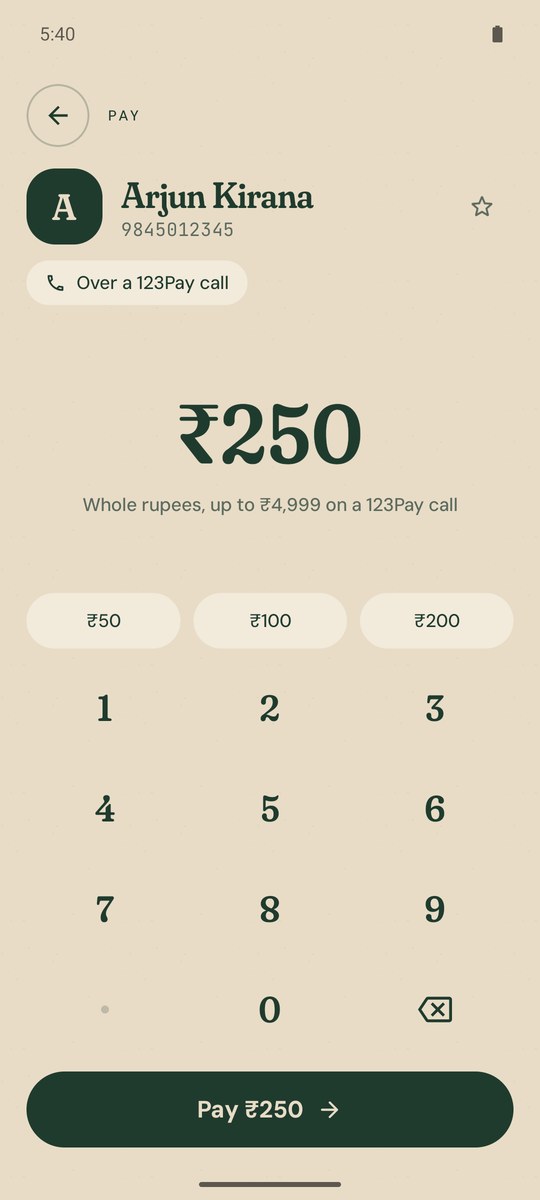
Big, clear numbers that roll as you type. ₹1,00,000, the Indian way.
Call guide
Follows the 123Pay calls and tells you the one thing to do next.
Paid
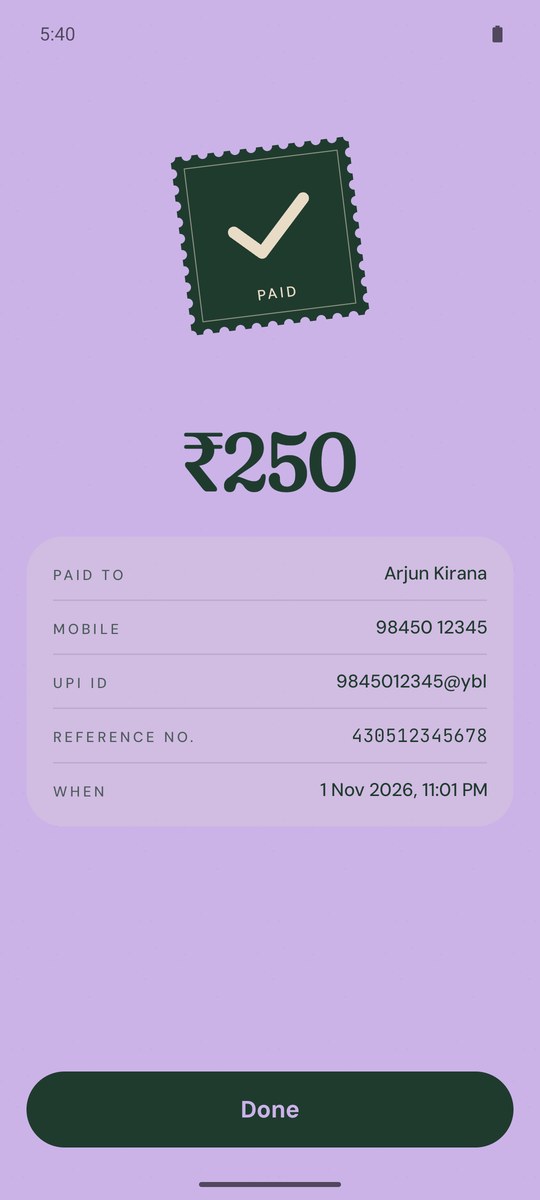
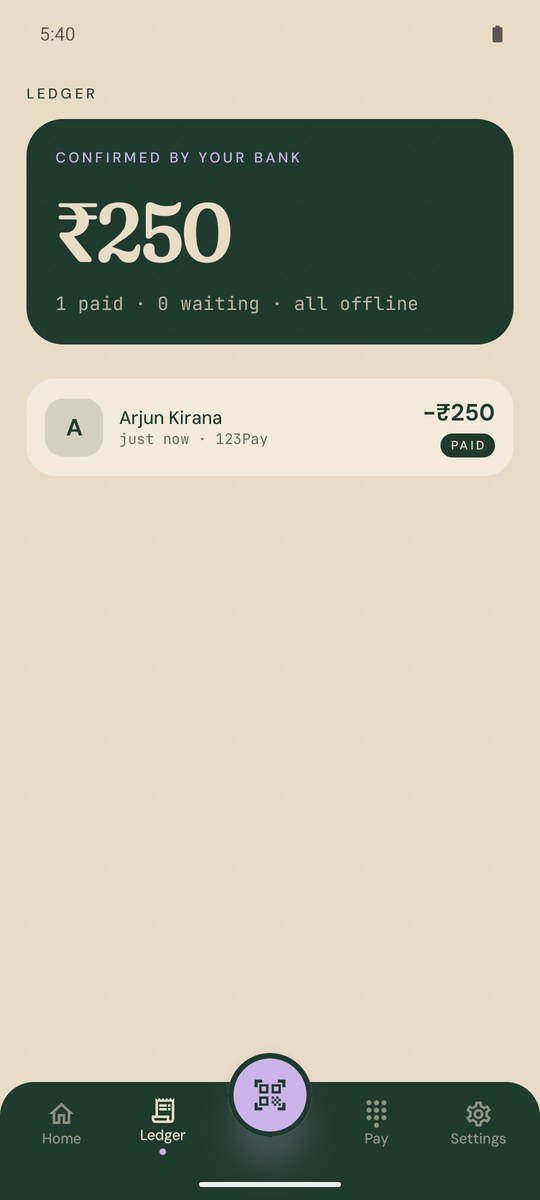
When your bank's SMS arrives, the payment gets its stamp.
Ledger
Every payment you've made, and what your bank confirmed.
First run
A short animation shows how paying works before you start.
Free on Google Play. No account, no sign-up, and no internet once it's installed. Play keeps it up to date, and Daak tells you when a new version is ready.
Tap Get it on Google Play, then Install. Sending it to someone? Share the Play link on WhatsApp.
02
Allow calls and SMS
Daak asks to make calls (for 123Pay) and to read your bank's SMS, so payments confirm on their own. Both stay on the phone.
03
First payment
New to 123Pay? Daak shows you the one-time sign-up from the first screen. Just follow the voice on the call.
04
Stay up to date
When a new version is out, Daak shows New update available on its home screen. Tap it, keep paying while it downloads, then tap Update ready.
05
Installed the APK instead?
Android blocks SMS access for apps installed from a file. Open App info, tap ⋮, choose Allow restricted settings, then allow SMS. Daak shows you how.
Questions
Good questions.
Does Daak really need no internet?
Really. Payments go through UPI 123Pay, which is a normal phone call. It needs no mobile data or Wi‑Fi. Daak doesn't even have permission to use the internet.
Which SIMs work?
All of them: Jio, Airtel, Vi and BSNL. Daak pays over UPI 123Pay calls, which work on every SIM and every phone. It used to use *99# too, but that failed too often on real phones (why).
Is it safe? Who sees my UPI PIN?
Only your bank. You enter it on the 123Pay call. Daak never asks for it and can't see your screen.
How much can I send?
Up to ₹4,999 a payment, in whole rupees, for now. The RBI raised that limit to ₹10,000, but not every bank has caught up, and getting rejected halfway through a call is no fun.
Why didn't my payment get stamped “Paid”?
Daak marks a payment as paid when your bank's SMS arrives. If SMS access is off (Android blocks it for apps installed from WhatsApp or a file until you allow it in App info), Daak just asks you whether the payment went through.
Do I need a bank account linked to my number?
Yes, your SIM's number needs to be linked to a bank account, like with any UPI app. New to 123Pay? Daak walks you through the one-time sign-up before your first payment.
Is Daak an NPCI or bank product?
No. Daak is an independent app. It calls UPI 123Pay, which is run by NPCI and your bank. Daak never holds or moves your money.
Can I pay someone from my contacts?
Yes. Tap Pay, search a name or number, tap the person and enter the amount. It works on every SIM, Jio included. Star the people you pay most and they sit at the top, and on the home screen for one-tap paying. Daak reads your contacts only on your phone and only after you allow it, and it has no internet access, so they never leave the phone.
Can I scan a shop's QR code?
Yes, when the QR's UPI ID is a mobile number, like 98xxxxxx10@ybl. Daak pulls the number out and pays it over a 123Pay call. A UPI ID made of letters, like shop@okaxis, can't be paid over a call, which only carries numbers. Daak tells you, and you can pay the shop's mobile number instead.
Is Daak in Hindi or Gujarati?
Yes. Daak speaks English, हिन्दी and ગુજરાતી. It follows your phone's language, or you can pick one in Settings.
How do I get updates?
Install Daak from Google Play and Play updates it. Daak also checks each time you open it and shows New update available on its home screen. Google Play's own app does the checking, so Daak still has no internet permission. Installed the APK from this site? Settings, Updates takes you to the Play page. If Play can't update that copy, uninstall it and install Daak from Play.
iPhone?
Sadly no. iPhones don't let apps dial calls with keys typed in or read SMS, so Daak is Android only. This website works fine on an iPhone though.
I made Daak. It started with one question: why should paying someone stop working just because the internet did?
India already has ways to send money without data. They're just buried in menus nobody remembers. Daak puts a friendly app on top of them, for the villages, melas and basements where the signal is weak but people still need to pay.
If you have an idea, found a bug, or just want to talk, I'd love to hear from you.